
Whitelist Email From SimpleGrowth in Gmail
- Open Gmail.
- In the search box at the top, click Show search options

- Enter your search criteria @simplegrowthsystems.com
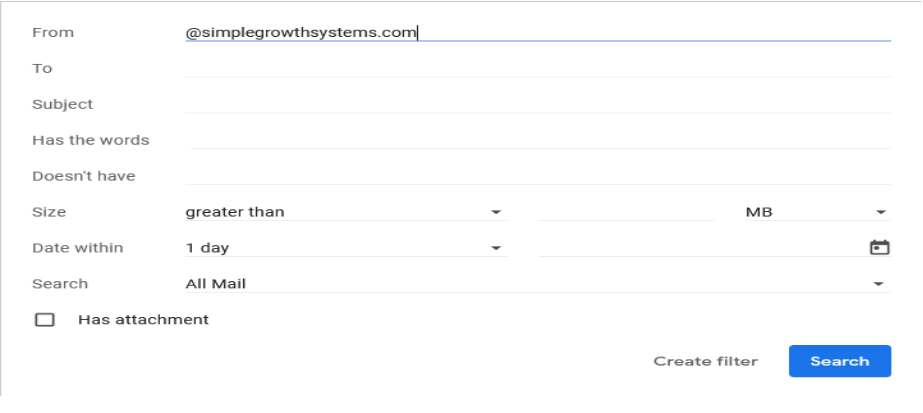
- At the bottom of the search window, click Create filter.
- Choose ‘ Never send it to Spam'
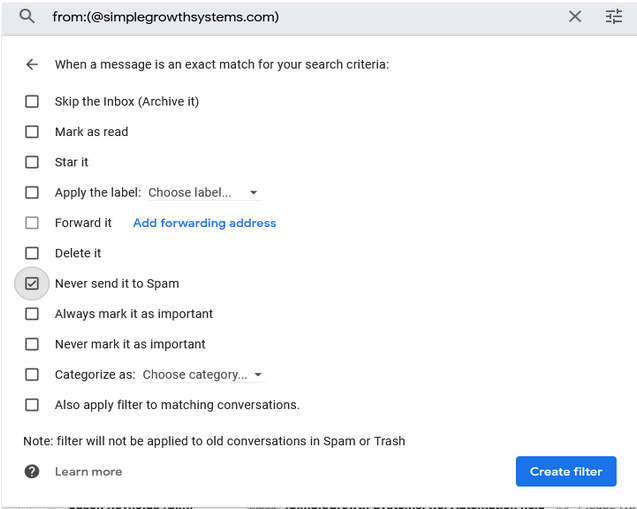
- Click Create filter.
- Repeat these steps for the domain @infusionmail.com SimpleGrowth sends automated and billing emails from this domain.
Whitelisting in Gmail mobile app
- Open the Gmail application.
- Navigate to Spam or Junk Folder.
- Click on the message you wish to view.
- Select the option "Report not spam".
- You will now receive messages from this sender as normal.
Whitelist Email From SimpleGrowth in Outlook
- Click on “Settings”, then “View all Outlook settings”
- If you are unable to find it under settings you can check under ‘Home’ in the above tab as shown in the below screenshot
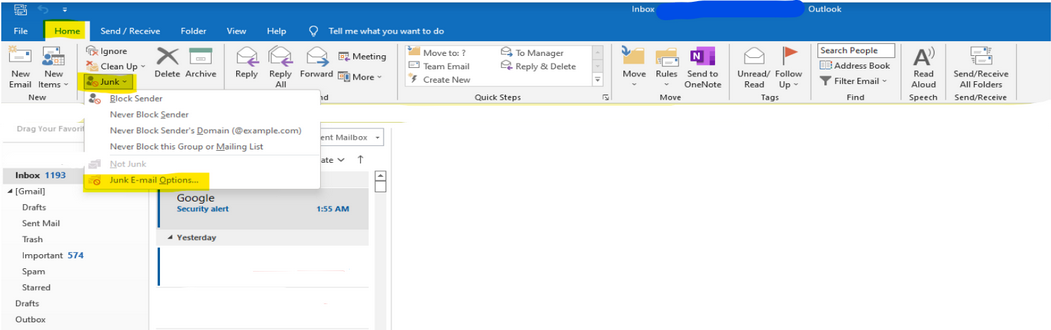
- Go to “Junk email”, then choose “Safe senders and domains” or “Safe mailing lists” to select the domain @simplegrowthsystems.com you want to whitelist.
- Enter the domain name @simplegrowthsystems.com to add to Safe senders. Make sure to include the @ character for domain names in order to only whitelist emails with the exact string of characters you entered.
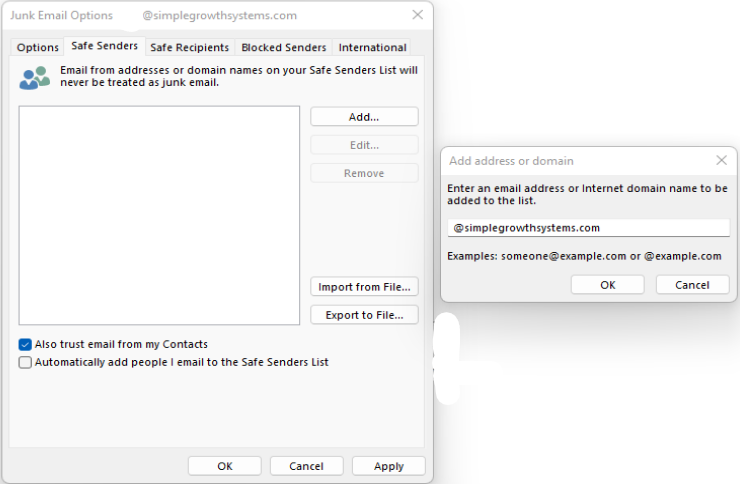
- Repeat these steps for the domain @infusionmail.com SimpleGrowth sends automated and billing emails from this domain.
Whitelisting in Outlook mobile app
- Open Outlook Mobile App.
- Click on the message that you want to whitelist.
- Click on the three dots in the top right corner.
- Click "Move to focused inbox".
- When the pop up screen comes up, click "Move this and all future messages".
Whitelist Email from SimpleGrowth in Yahoo Mail
- Go to the "Settings" icon, then click "More Settings" from the Yahoo Mail menu.
- Select "Filters" and hit "Add" to enter information about the domain name (@simplegrowthsystems.com).
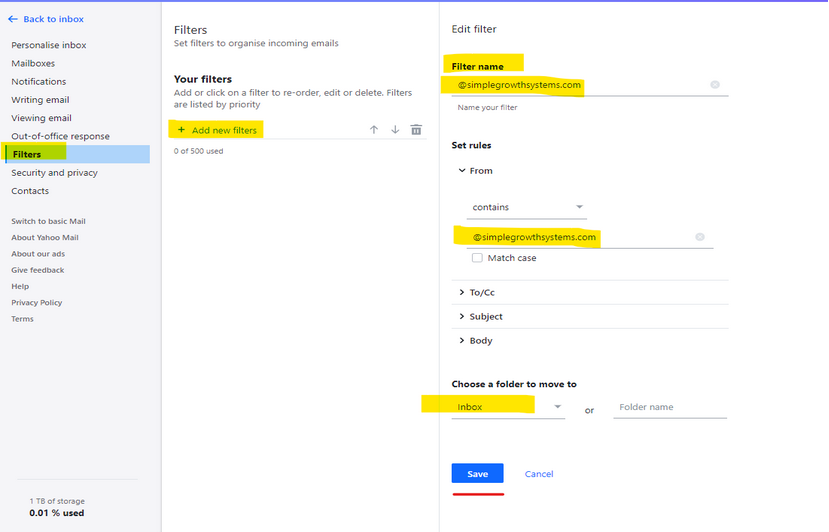
- Enter ‘@simplegrowthsystems.com’ to whitelist in future emails.
- Repeat these steps for the domain @infusionmail.com SimpleGrowth sends automated and billing emails from this domain.
Whitelisting in Yahoo Mail mobile app
- Open Yahoo Mail Mobile App.
- Click on the sidebar.
- Click on the Spam folder.
- Find the email you wish to whitelist.
- Click "Move" and then click "Inbox".
Comments
0 comments
Please sign in to leave a comment.